
⌘ Writter
The minimalistic markdown editor for your notes and thoughts
Fully offline-first desktop editor that focuses on local-first simplicity, speed, and the power of pure thought to action. Free and open source.
v0.0.10 Beta • Free & Open Source • Available for Windows, macOS & Linux
Download Writter
Choose your platform and start writing. Available for all major operating systems.
Windows
Windows Installer • 3.1 MB
Alternative formats:
macOS
macOS Universal • 8.8 MB
Linux
Linux Debian • 5.3 MB
Alternative formats:
Looking for older versions or need help installing?
Everything You Need to Write
Writter is designed for technical users who want full control over their markdown workflow while still remaining simple and intuitive.
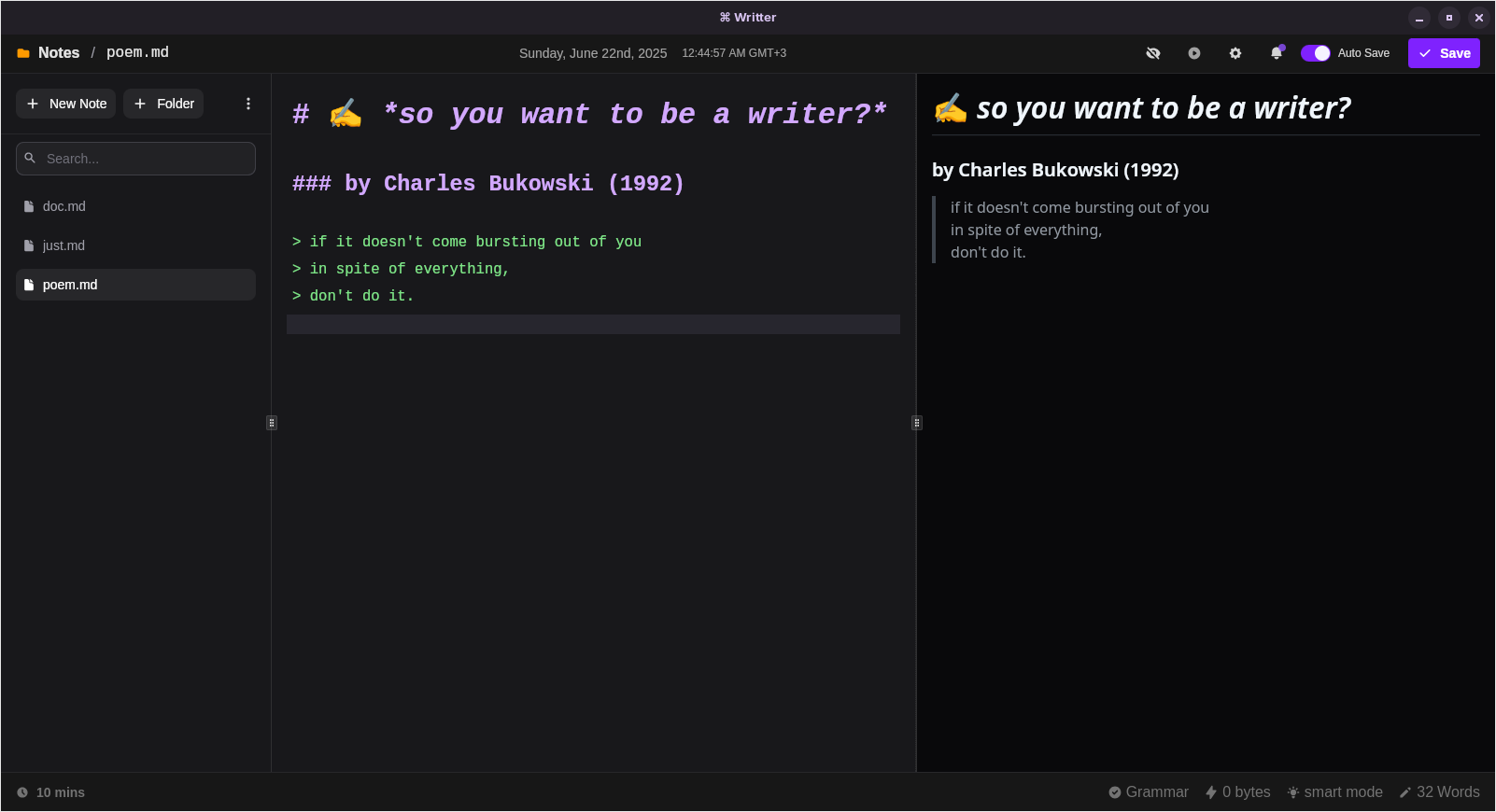
Project-Based Workflow
Open and work with entire folders as projects. Browse, create, rename, and delete files from the sidebar.
Live Preview
See your formatted text as you type in a side-by-side view with smart text highlighting.
Auto-Save & Manual Save
Never lose your work with automatic saving and Ctrl+S/Cmd+S support.
Word Count & Time Tracking
Always know how many words you've written and keep track of your writing time.
Table Creator
Build tables easily with a visual tool - no need to memorize markdown syntax.
Snippets Library
Save and reuse common text blocks you write often with quick formatting tips.
Background Music Player
Built-in music player to set the mood while writing and stay focused.
Simple Todo Manager
Quick task management without leaving the editor. Stay organized while you write.
Lightning Fast
Optimized for speed and performance. Start writing instantly without delays.
Fully Offline
Your data stays on your device. No internet connection required. Complete privacy.
Smart Text Highlighting
Different parts of your markdown are highlighted for easy reading and writing.
Customizable Settings
Adjust font size, themes, editor behavior, and appearance to match your preferences.